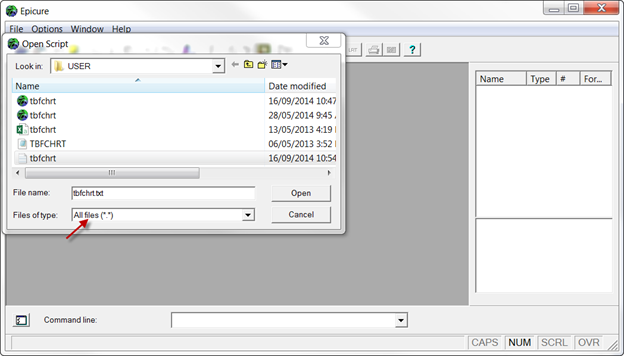
When any of the EPICURE modules is run, it automatically creates a script file with all commands executed during the session. This script file can be used in subsequent sessions. In this example, we will use a command script file created by EPICURE when we imported TBFCHRT.CSV file into AMFIT. Select Read script... from the File/New Analysis menu.
As in the previous examples, select AMFIT. The script file automatically created by EPICURE during our previous session is called TBFCHRT.AMF; the extension indicates that it was created by AMFIT.
Double click on the file name or press “Open”. You will see all the commands in the script window. These commands are not executed immediately, so the log window is empty. Entering and Executing Commands describes several ways to execute commands entered into the script window.

Command script files can be created not only by running EPICURE modules, but also by using text editors. Such script files can be opened in the same way except “All files” should be selected in the “Files of type” window.