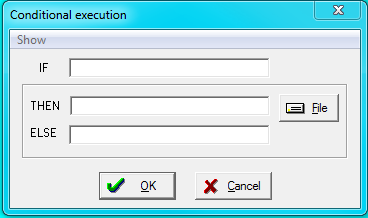
Define a condition for conditional execution of some scripts and specify the scripts to be run if the condition is true or if it is false. The condition must be a simple logical expression involving named constants. This dialog is primarily intended for the creation of scripts that will be executed at a later time.
When this menu item is chosen, the following dialog appears:
The condition in the first field (IF) is specified as a logical expression that typically involves a named constant (such as #v). The IF condition is taken as true when the value of the IF expression is non-zero and false if the value is 0. The THEN and ELSE boxes are script names that will be executed if the named constant is non-zero (THEN) or zero (ELSE).
The Show menu is used to display a list-box giving the constant names or a list of logical operators that can be used in defining the IF condition.

Related script commands